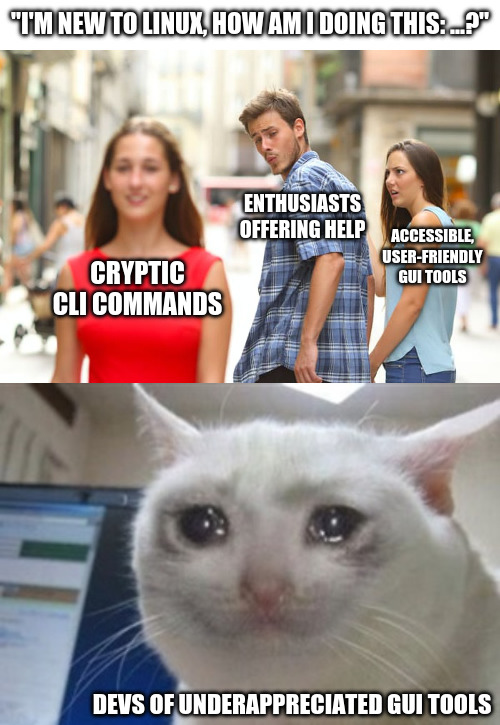
You can't copy and paste into a GUI, and it's painful to help people to use them.
Hint: :q!
Sister communities:
Community rules (click to expand)
1. Follow the site-wide rules
sudo in Windows.Please report posts and comments that break these rules!
Important: never execute code or follow advice that you don't understand or can't verify, especially here. The word of the day is credibility. This is a meme community -- even the most helpful comments might just be shitposts that can damage your system. Be aware, be smart, don't remove France.
You can't copy and paste into a GUI, and it's painful to help people to use them.
Or pipe GUI output into another GUI function.
Or >> log.txt
So you want newbies blindly entering scripts to there command line and not knowing what that are doing.
They're blindly doing it either way. I understand and want GUIs as well, but dumping commands into terminal is starting to seem easier than "go here click this, now click that"
And where a typo can cause a catastrophic outcome
If it's "oh, you can open up [application X] and it's easy to figure it out, and there's videos out there to cover your use case", then ok.
But if it's to help a user with a very specific task and they want their hand held, well from a GUI perspective I'm either making a bunch of screenshots or maybe even a tutorial video or a screen share session.... Or I shoot them a relatively short CLI command that does it and move on to other things.
It is usually much shorter to tell someone the CLI to do something than it is to try to train them on a GUI for the same thing. If it's well-trodden subject matter, well they probably already found a youtube tutorial and didn't even have to ask.
basic_task_list = ['copy and paste', 'install package', 'type', 'keyboard', 'read and write' ]

for basic_task in basic_task_list:
    print(f"""
        Newbies can't {basic_task}.
        They never {basic_task} in windows.
        Windows  has replaced {basic_task} with copilot, this is what linux needs to do to compete.

        How will linux ever hope to attract windows user if it still maintains this ancient hacker 1337xor tools like  {basic_task}?

        Users just want to turn on computer and watch it do computance - how does linux not get this?
    """)
What's easier to support?
"Ok, open app commandX,
now click on the button labeled Y.. It's just there, just below your mouse cur... oh now you've moved your mouse... no, not there, it's more to the left, up a bit... down a bit, it's labeled Y. Third one from the top.
Yes, that's the one, now click it.
ok, in this pop up you type "super secret code thing',
no, capitalization doesn't matter.
Yes. I'll spell it "s u p e r {space} s e c r e t {space} c o" what do you mean, you don't have a T on your keyboard? "
Or. "Open up the terminal and type this code: commandX --CodeY This will do XYZ. After it's done, can you tell me the error it says on the screen?"
But yes, I agree, the GUI looks nicer.
I've been in a situation like this recently and all I can say is that the CLI is universal.
Yes, it is complex. Yes, it is challenging. But it gets things done.
Don't be afraid.
I know what you mean, just beware: in lots of cases it's not as universal (as in distro-independent) as some still think it is.
For people who want to get things done with their PC that isn't inherently IT-related (like, doing office work or music production or anything else) and just need to do the occasional light sysadmin thing like setting up new drives to be auto-mounted somewhere, pointing to GUI tools is just so much better. And in many cases it is also safer (making your system fail on boot with a small typo in the fstab is painfully easy).
I get where you're coming from. But as something of an enthusiast myself I don't always know GUI tools for all the tasks I can do in a terminal. Edit: typos
Also, GUI changes faster than CLI, CLI has ALWAYS more options, and you can save those commands to a file.
Also can get explanations for every command.
Tbf cli help is copy paste, GUI help is something I didn't want to help with even when I was being paid for it
"I'm having an issue with Windows"
"Please open CMD.EXE and run sfc /scannow and DISM.exe /Online /Cleanup-image /Restorehealth
If that doesn't solve your issue, you need to reinstall Windows
Hope that helps!
I cant think of a time that sfc scannow or dsim cleanup has ever fixed a problem
I find it’s the GUI tools that are usually cryptic, especially when you want to do more than the most basic operations.
A lot of devs don't put much work into planning the flow of their GUI from a user's perspective and it really shows.
IMHO a UI should offer everything a user can do in a given moment, readily available, nothing hidden behind more than a single menu. If something isn't currently possible, it shouldn't be available, and if the dev chooses to make the option visible but unavailable, it should be clearly and visibly marked as something that can be available (grayed out text for example).
I think devs tend to overestimate both the skill of the user, and the usefulness of their UI.
Nah
I'm not against GUIs in general, but they should always be supplementary to CLI, otherwise you end up with windows
otherwise you end up with windows
Windows without the garbage? I'm okay with that.
No, Windows as in "this setting is hidden under this menu, that submenu, here click to open another sub-window...". This will happen any time a dev tries to arrange settings in logical way (instead of flat list of toggle and input boxes), because "logically belong together" and "actually often used together or one after another" are not the same, and also dev logic, internal system logic and user logic are also three different things. Result - mad maze
Which is why many tinkerers like CLI - at least one can run man something or something --help in most cases
I feel like a dinosaur at work because many times I have no idea how to use the different programs there, mostly because everything is so incoherent (to me).
And I don't mean a large living dinosaur cracking trees in two while chasing my dinner.
I mean a bunch of sad brown bones held up by sticks in a dusty museum everyone walks by.
Yeah, man is clutch... I wonder if people would be so intimidated by CLI if everyone knew how easy it was to learn commands with man
To do this setting, you have to open up regedit, and....
That part of Windows isn't so pretty. A quick copy-paste of a CLI is so much better than opening up regedit. Powershell has improved this, but for a long time this was the approach for settings microsoft couldn't be bothered to make intuitive UI for.
I'm a big fan of Mint specifically because they spent so much effort making just about everything accessible from a user friendly GUI. I totally agree with you, every time I see this kind of thing online I die a little.
Most people don't want to become an expert in the task they want to do. They just want to do it once. CLI tools demand expertise.
Unfortunately in Linux, UI tools often take away some of the transparency you get with the CLI tools they're made for.
I've recently tried setting up a VPN connection to my workplace using the EndeavourOS configuration UI. It basically just said "can't connect, haha, fuck you", so I had to dig deeper. Finding out how to use the CLI commands necessary to identify and fix the problem took some time and effort, but in the end, I managed to set it up successfully (turned out most Windows admins still think l2tp is hot shit while the Linux world considers it obsolete).
In this case, UI wasn't as user friendly as CLI, because it hid vital information that was necessary to solve the problem.
A better UI would probably have solved that problem quicker and easier. In an ideal world, you get intuitive GUI tools that cover all use cases and you still have the option to use the CLI if you want to dig deeper. So yeah, I agree with the point you're making - Mint trying to be as user friendly as possible by offering accessible UI tools is a good thing and one of the reasons why Mint is so popular. (It's also a reason why Windows sucks ass, because for most UI things the CLI equivalent is either non-existent or cryptic as hell...)
The point I'm making - GUI tools should always try and make using the CLI unnecessary. Taking away complexity without taking away functionality is the key, and as a consequence, those GUI tools will not be underappreciated for sure.
You should open a bug report saying that the GUI hid the error from you. That's a problem.
The problem I have is that the GUI tools are very specific to distros, dms, and releases. It's a problem that arises from having so many choices.
CLI tools work long after they're deprecated and very often cross distros.
Something as simple as getting your IP address can be in diferent areas, the settings->network panel isn't even a safe bet. A lot of distros are now putting a network or wifi icon in your tray, but it doesn't always look the same, can be hidden, isn't in the same place.
Ifconfig and ip work on everything and can be installed on almost, if not every, platform.
If you do a web search for how to find your local network address in linux using the GUI, you're given a choice of a bunch of different places to look and the reccomendations don't line up word-for-word with what the current menus in KDE->settings look like. What's more interesting is when I go into kde-settings and do manages to find Wi-Fi and internet instead of network connections, it doesn't give me my ip, it's all just blank.
Unfortunately for newbies and GUI tool developers, I rarely use GUI tools and thus don't know of many. I do agree that GUI tools have better accessibility and discoverability, but they also have worse performance and are just generally more work to make and thus many developers of enthusiast tools skip the GUI.
From the comments I fail to understand why it has to be one thing or the other.
I want both. Not only that, I would love GUI tools that show the CLI commands for doing the same thing in real time, so I would learn them with examples of things I actually want to do.
I've been saying this for a while now. A good gui doubles as documentation.
It's unlikely I will use your "accessible" GUI tools, but I applaud you for making them, even if they're shit. It's like art, the more art there is, the better the world is, even if I personally can't appreciate some of it, I acknowledge the greatness if it's existence.
I blame absolutely nobody for wanting a GUI tool for things. But the idea others are at fault for being hesitant or unfamiliar with the tool is also disingenuous, especially when the GUI just adds another layer of abstraction to the tool while removing some of the functionality (as GUI tools often do).
It's like you're learning to ride a bicycle. I get that you like the training wheels and they are extremely useful for you, and more experienced cyclists SHOULD be understanding and accommodating, but they can also see the ways they're holding you back, and it's natural for them to want you to take them off as soon as possible.
Also, CLI is consistent across any distro... GUI tools, however, vary depending on your desktop environment, distro, version...
You can copy-paste commands tho. Writing a concuse GUI tutorial is more work. Whether I want to do that depends a lot on who that work is for
The issue I have with GUI and wrapper tools on Linux is that I don't know how they have implemented the standards, I know several tools that only deals with the basic stuff and leave you high and dry for the advanced stuff.
Which I feel is missing the point, if you have a gui it should support advanced stuff as well as the basic stuff, else you will train your self wrong, and have to unlearn a lot of crap
GUI tools can be great, I live using then but I hate writing documentation for them.
Documenting CLI is much easier to do and maintain than documenting GUI. A few lines of text that I can adjust if needed vs a pile of screenshots.
I just don't know about the GUI tools and wouldn't know how to help people with them. Of course I'm not really enthusiast grade anymore and don't offer Linux help but yeah.
There was a whole team of "engineers" that once told me, "using infrastructure as Code obfuscates things, using the GUI allows us to see exactly what is happening!"
They did not appreciate it when I told them to "git gud, or GTFO".
Subsequently the company hired 5 more automation engineers like me and the two dozen of ClickOps "engineers" were let go. Our productivity is even higher with the 6 of us compared to more than two dozen of them.
GUI is nice for hobbyists and mainstream consumers.

