this post was submitted on 01 Jan 2026
1235 points (98.5% liked)
Microblog Memes
11503 readers
1495 users here now
A place to share screenshots of Microblog posts, whether from Mastodon, tumblr, ~~Twitter~~ X, KBin, Threads or elsewhere.
Created as an evolution of White People Twitter and other tweet-capture subreddits.
RULES:
- Your post must be a screen capture of a microblog-type post that includes the UI of the site it came from, preferably also including the avatar and username of the original poster. Including relevant comments made to the original post is encouraged.
- Your post, included comments, or your title/comment should include some kind of commentary or remark on the subject of the screen capture. Your title must include at least one word relevant to your post.
- You are encouraged to provide a link back to the source of your screen capture in the body of your post.
- Current politics and news are allowed, but discouraged. There MUST be some kind of human commentary/reaction included (either by the original poster or you). Just news articles or headlines will be deleted.
- Doctored posts/images and AI are allowed, but discouraged. You MUST indicate this in your post (even if you didn't originally know). If an image is found to be fabricated or edited in any way and it is not properly labeled, it will be deleted.
- Absolutely no NSFL content.
- Be nice. Don't take anything personally. Take political debates to the appropriate communities. Take personal disagreements & arguments to private messages.
- No advertising, brand promotion, or guerrilla marketing.
RELATED COMMUNITIES:
founded 2 years ago
MODERATORS
you are viewing a single comment's thread
view the rest of the comments
view the rest of the comments
I know this is the wrong audience, but you can type cmd into explorer's address bar and it will launch a terminal in that directory (I think this works with any command in your path)
I'm more of a shift-right click > PowerShell kind of person, but this is good to know
I'm a windows key "cmd" enter person
I still need to use Windows for work so I appreciate it, I didn't know that one
But OP wanted Terminal, not cmd.exe They're not the same thing.
type "wt" instead of "cmd" then
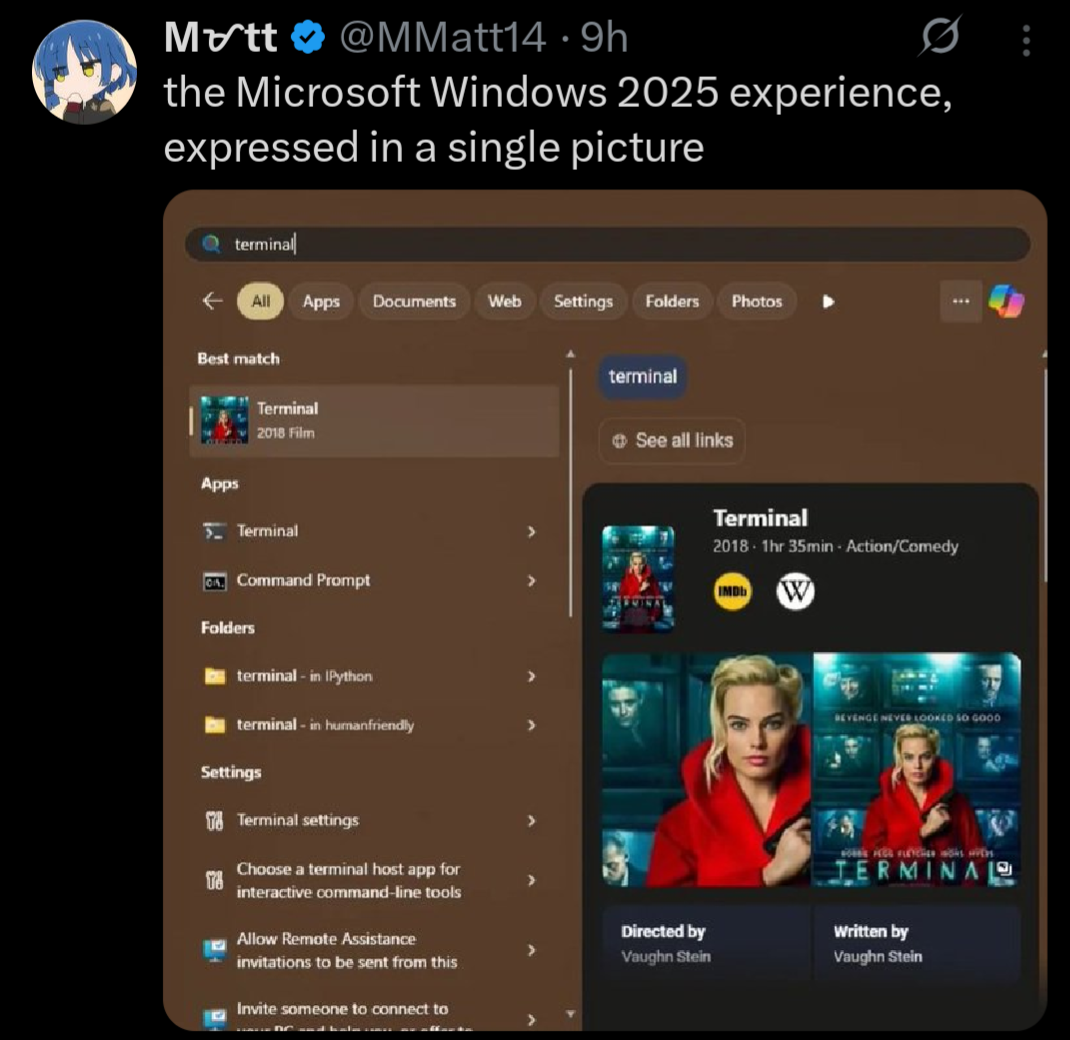
Indeed. Also, tried this when I saw it and was surprised that, not only did the Terminal app show up first, but I saw no ads in the start menu at all. Turns out the settings I set on my Windows 11 partition back in 2022 are still there, and I just don't see stuff like this.
Like yes, I prefer Linux and wish Windows 11 didn't have so much crap like this, but... It's so easy to turn most of it off and move on. Changed them once when I set up this machine and haven't touched them since. Maybe I'm lucky, but I never had an update change back settings, either.
this is actually incredible, thanks
Another option: use windows+r and type the exact name of the executable, the first time, and then it will remember it next time.
Also, can right click on the start menu and then click terminal