this post was submitted on 03 Aug 2026
326 points (99.7% liked)
me_irl
8196 readers
572 users here now
All posts need to have the same title: me_irl it is allowed to use an emoji instead of the underscore _
founded 3 years ago
MODERATORS
you are viewing a single comment's thread
view the rest of the comments
view the rest of the comments
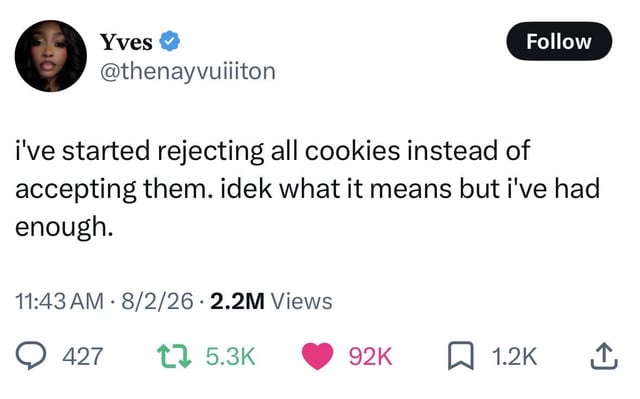
Love the consent-o-matic extension on Firefox. I've got it set up to auto reject unnecessary cookies when possible, really cuts down on the annoying pop ups.
The necessary ones are bullshit too cant figure out how to block those
You can use an extension Cookie AutoDelete.
Mind that you need to allow cookies for pages where you want to stay logged in.
I always set this option in Firefox to delete all cookies on exit. It makes tracking cookies worthless you just constantly need to sign into sites all the time but I don't care.
https://support.mozilla.org/en-US/kb/clear-cookies-and-site-data-firefox
Hello, fellow cookie clearer!
In my Firefox setup, I do the same, but use the Containers ext. and putting the websites I always want to stay logged in to into the exceptions in Firefox settings so that I can stay logged into YouTube, Nexus, etc.!
My browser is open the entire time my computer is on. I want my cookies deleted much more often than that
In firefox you can choose custom blocking, and there select "All cookies". It's pretty radical though as it makes browser never send the cookie header and removes
document.cookieobject entirelyPrivate browsing mode usually deletes cookies after you close the tab. It's a decent compromise
Defs just added that
Or you can just block all third party cookies in your browser's settings, then remove the popup with Ublock Origin. You don't need to consent to cookies when they can't even get to your machine to begin with!
Ive seen many website cookie notifications that say if you don't accept or reject, it will be considered as accepting. I don't know how legal that is but ive seen it.
Yes but like I said, you can just block 3rd party cookies in your browser's settings. Therefore accepting/rejecting doesn't matter, because the cookies can't get stored on your machine regardless.
Yup. And for the rest , I've trained my muscle memory to click whichever button doesn't say 'accept', so I rejecting the dialog doesn't even require any conscious thought for me