37
this post was submitted on 09 Mar 2026
37 points (95.1% liked)
Firefox
7022 readers
21 users here now
A community for discussion about Mozilla Firefox.
founded 2 years ago
MODERATORS
you are viewing a single comment's thread
view the rest of the comments
view the rest of the comments
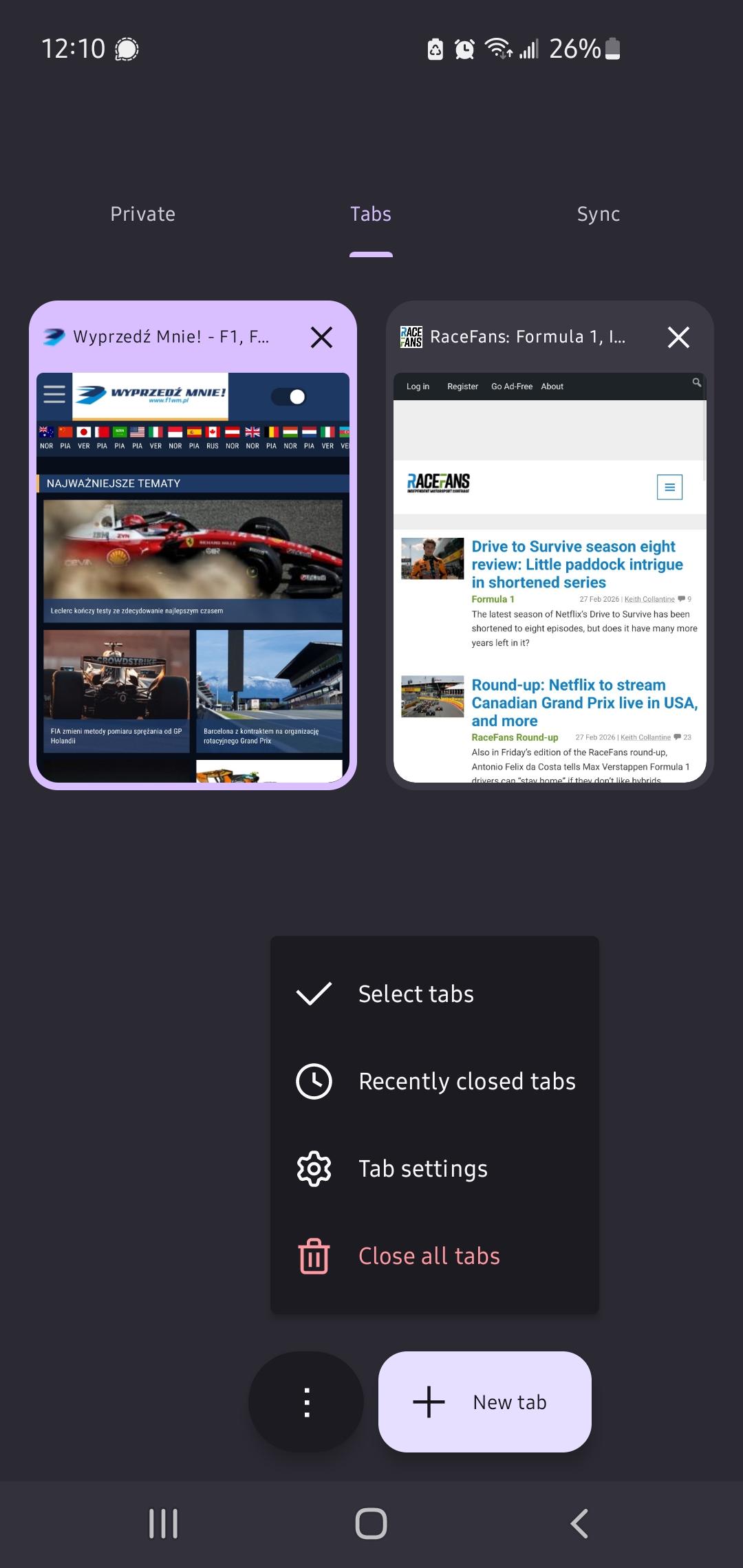
I'm fully updated on my Android device, and the option is still there. It's in the context menu of where your see your open tabs for me.
@Creat
Did you turned the device on/off?
I ask because some apps - including Firefox - start in newer versions after power off/on cycle.
No because that's not how Android works. If the app is updated, it is also closed and from that point on you'll have the new version. If you're using it while it is updating in the background, it'll literally just disappear.
But i did check in the store to make sure it's updated. I also manually force closed it just to convince you. Option is still there.
To be clear it's in the tab overview, where you see all your open tabs. For me there's the '...' menu in the top right, and it's in there, as it always has been. But it looks different from your screenshot, I dunno where that was taken.
@Creat Can You show me a screenshot? Because I shared a screenshot and its not there. Can You check Firefox version? Mine is 148.0.1.
I also have 148.0.1. I think I've understand the difference. I'm not trying to select any tabs at all. I just open the menu and select "share all tabs", which is exactly what you're saying you're missing in your OP though?
In case that is relevant, I'm on Android version 15. Since your screen looks quite a bit different from mine.
This has to be a weird android 15/16 thing.
On Android 16 I also don't have this, same as OP