
My mother wants to make something like the image.
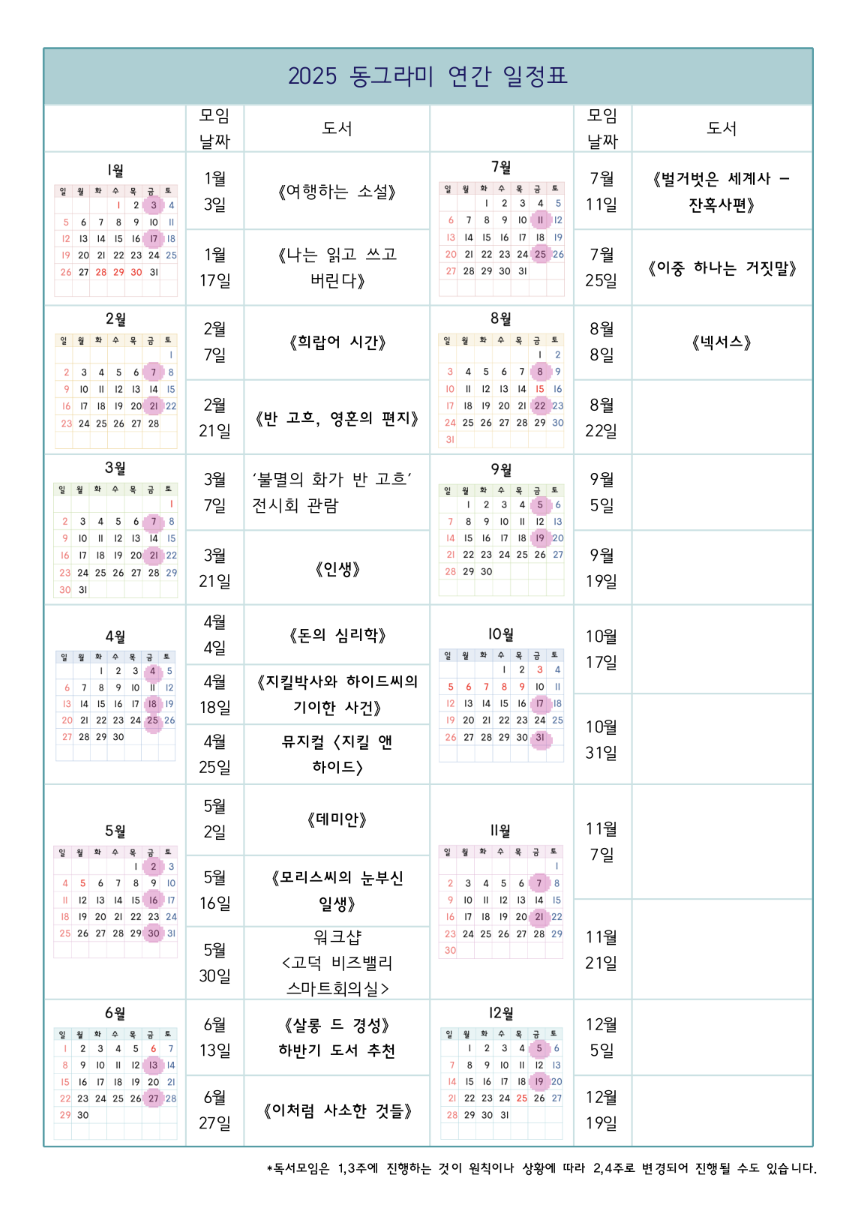
Currently, she has to use a proprietary word processor, with no good way to control the size and margins. Hopefully there is a better way to achieve the same with less ceremony.
The features we need:
- Create tables with images/texts on each cell (images should be embedded inside each cell)
- Merge some cells together to make a good-looking table
- Multi-line texts in some cells, with formattings like boldface
- CJK language support
Then, good flexibility to control size of cells would be nice - the more intuitive, the better. Both locally installed program or web-based app is fine.
Are there software for this purpose? Thanks a lot in advance!
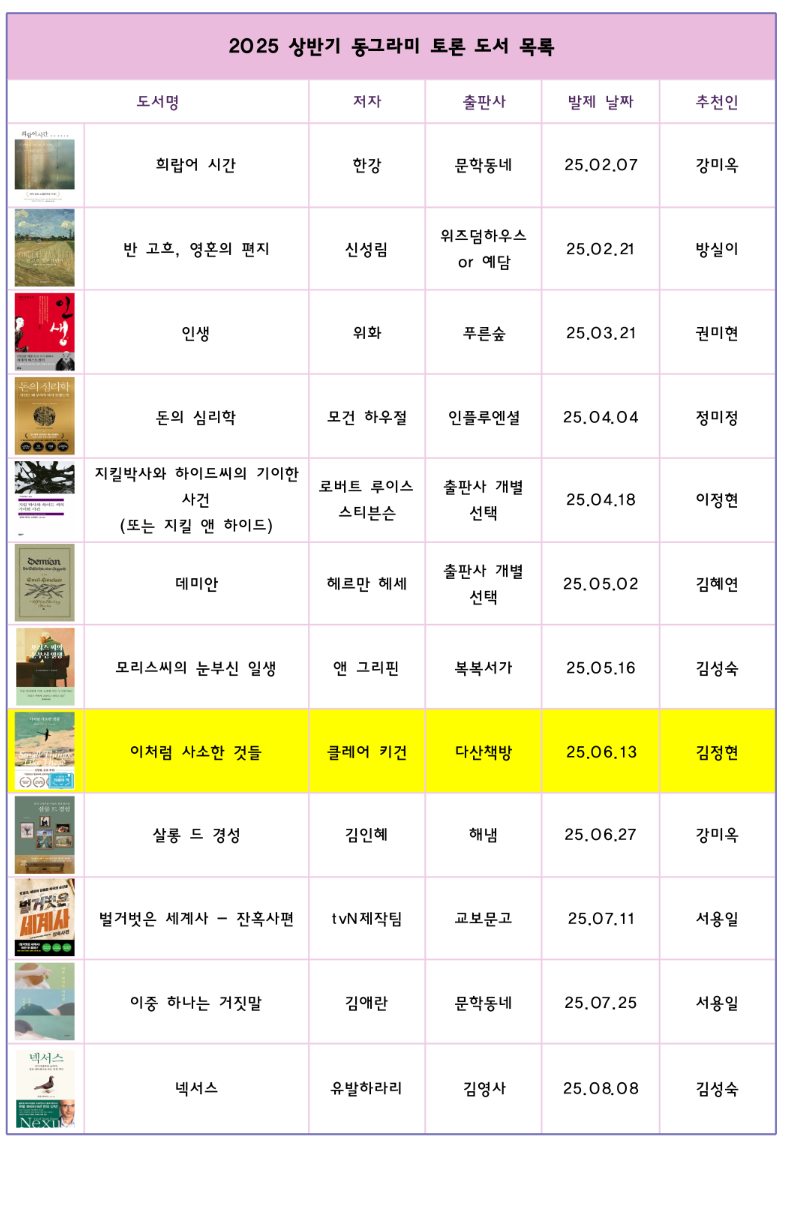
Hmm, how do you embed images in excel?
Insert->picture
Or just drag from explorer into the spreadsheet.
I just searched, did not know you can embed an image inside a cell. That said, my mom wants to input multiline texts in some cells..
You can put multi line text in cells, or you can merge cells for the image so it covers multiple rows
Or you can actually embed another excel sheet in a cell, with its own formats, data and images.
Alt+Enter on PC and Opt+Enter on Mac puts a line break or carriage return in a cell rather than Enter which just skips to the next cell.
Isn't it Shift+Enter on PC?
Enter moves selection down a cell.
Shift+enter moves it up.
Tab+enter moves it left.
Shift+tab+enter moves it right.
Ctrl+enter confirms the entry without changing the cell selection.
You can change the behaviour of the enter key to put in a line break instead of moving down a cell in options.