this post was submitted on 05 Mar 2024
31 points (94.3% liked)
Selfhosted
60091 readers
1327 users here now
A place to share alternatives to popular online services that can be self-hosted without giving up privacy or locking you into a service you don't control.
Rules:
-
Be civil: we're here to support and learn from one another. Insults won't be tolerated. Flame wars are frowned upon.
-
No spam.
-
Posts here are to be centered around self-hosting. Please ensure it is clear in your post how it relates to self-hosting.
-
Don't duplicate the full text of your blog or git here. Just post the link for folks to click.
-
Submission headline should match the article title.
-
No trolling.
Resources:
- selfh.st Newsletter and index of selfhosted software and apps
- awesome-selfhosted software
- awesome-sysadmin resources
- Self-Hosted Podcast from Jupiter Broadcasting
Any issues on the community? Report it using the report flag.
Questions? DM the mods!
founded 3 years ago
MODERATORS
you are viewing a single comment's thread
view the rest of the comments
view the rest of the comments
Nemo/most file explorers have a remote server option. For nemo, "Files > Connect to server". Once configured, you should be able to view your server files from your file explorer and uploading files should be as easy as drag and drop. I'm pretty sure nautilis has something similar too!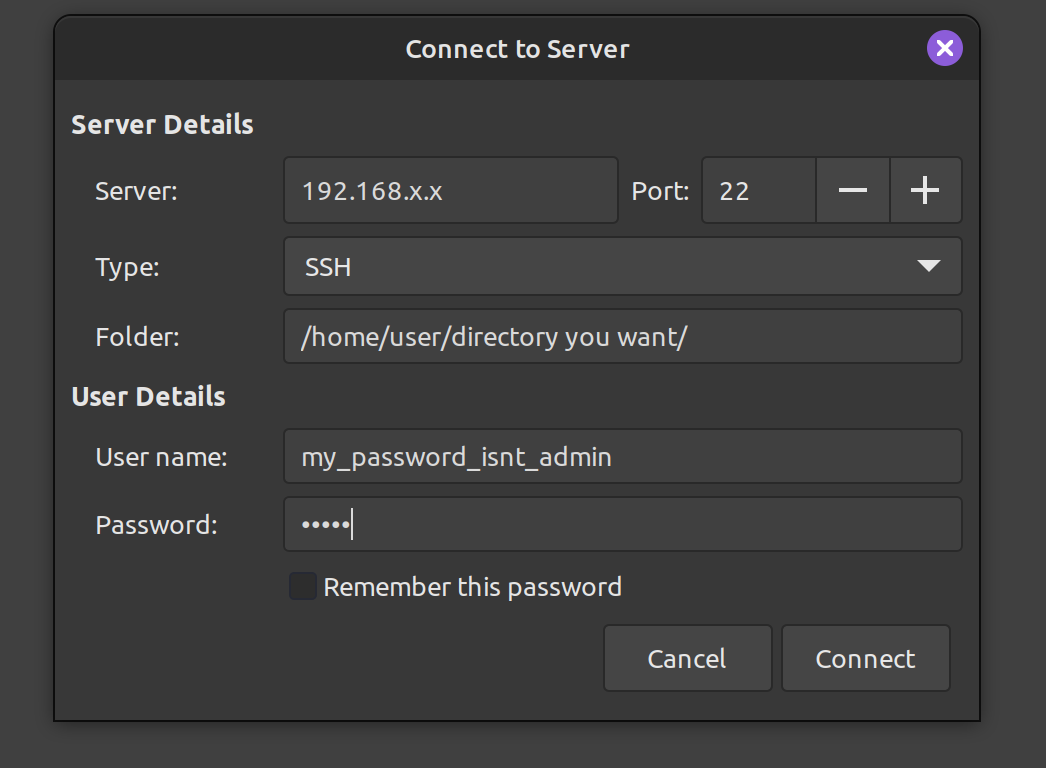
It's not the best for security because if someone gets your computer, they can access your server through the file explorer. But it's fast and convenient if you are already using your file explorer.
Generally you can even just type it into the location bar, no need to find a specific dialog. For example if I type
CTRL+lthensftp://myserver.localinto Nautilus it pops up a username+password dialog (or just logs in using my keys).