this post was submitted on 24 Oct 2023
11 points (76.2% liked)

Selfhosted

60409 readers
297 users here now

A place to share alternatives to popular online services that can be self-hosted without giving up privacy or locking you into a service you don't control.

Rules:

Detailed Rules Post

  1. Be civil.

  2. No spam.

  3. Posts are to be related to self-hosting.

  4. Don't duplicate the full text of your blog or readme if you're providing a link.

  5. Submission headline should match the article title.

  6. No trolling.

  7. Promotion posts require active participation, with an account that is at least 30 days old. F/LOSS without a paywall has exceptions, with requirements. See the rules link for details.

Resources:

Any issues on the community? Report it using the report flag.

Questions? DM the mods!

founded 3 years ago
MODERATORS
 

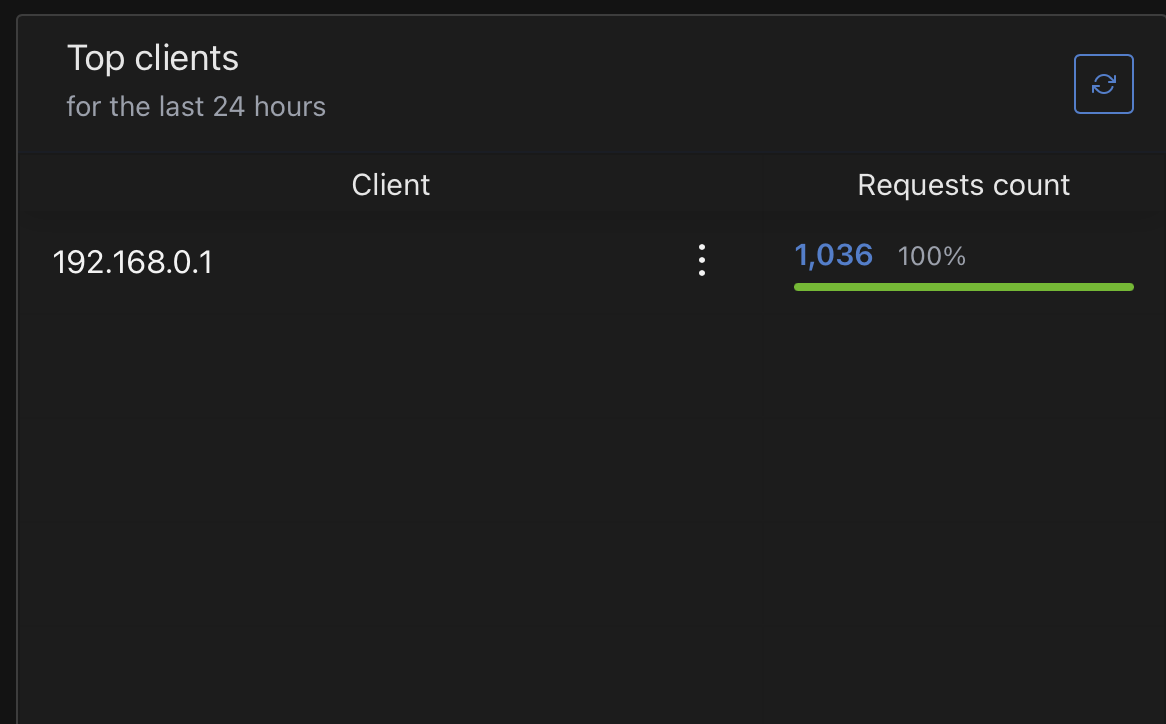
I am super lost on what to do to get my different devices IP address/names listed.

Router: Unifi Dream Machine

Router has DNS set to AGH IP address and the router is automatically setting DNS for each device. It makes sense that the router IP address is the only one showing, but I'm pretty sure there is a way to get distinct client IPs to show.

Anyone know what I need to do?
you are viewing a single comment's thread
view the rest of the comments
[–] stifle867@programming.dev 2 points 2 years ago

From one of your devices can you check what DNS server they are using? It sounds like the router is setting itself as the DNS server. This would mean all your devices would list your router's IP address and the DNS server. This is a different setting than the DNS server that your router is using.

If that's the case you tell your router to tell your devices to set the DNS server to the IP address of your AdGuard Home device. Alternatively, you can manually set the DNS server on your devices.