We've had a lot of rain lately, and our lake has risen a good 3 feet - which is rather exceptional. A lot of neighbors have sustained flood damage as a result. But we're lucky enough to live on higher ground. This is what our lakefront looks like now.
Here is what our beach normally looks like:
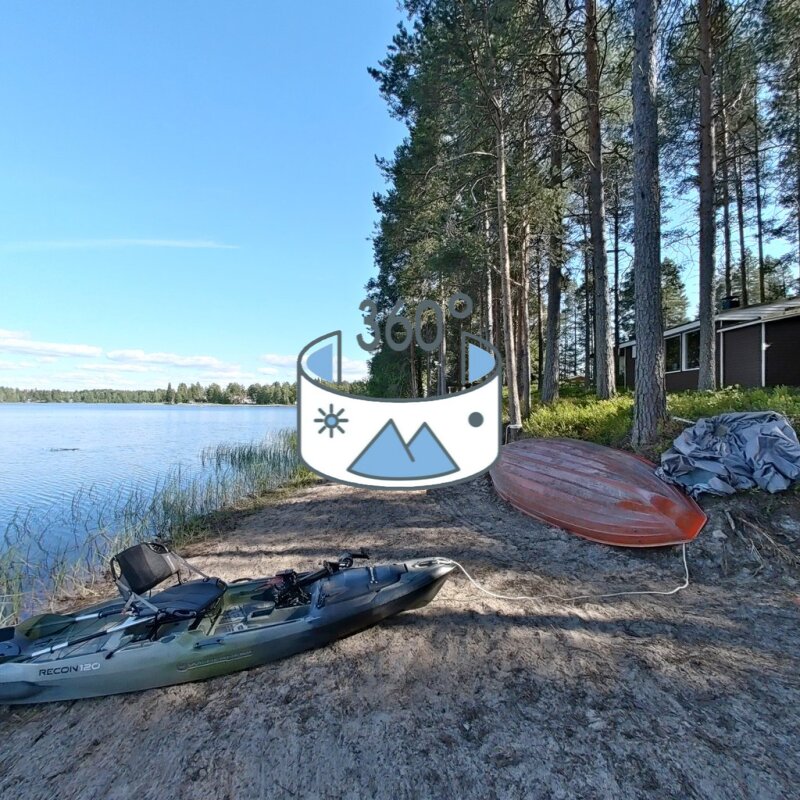
Wow, these 360° tours are so cool. And you can click that button that turns on the motion of your phone! What device are you using to capture this photography? And what app technology are you using to process and create the final product if you don’t mind me asking. Very cool indeed!
https://giraut.github.io/360_photography/
Thanks!
I use a Ricoh Theta X. It's an older device but it's still very decent at doing still photography. It's not so hot at doing videos but that's not really what it's designed to do.
I use this camera because it does something no other camera does: it stitches the photos and videos itself. That's important for me because I use Linux and I can't run proprietary apps like the Insta360 app to render them very easily. Also, I don't like proprietary apps. The Ricoh Theta X produces regular JPEGs and MP4s that I can edit normally with GIMP and Kdenlive.
Also, Ricoh is (or was I should say) fairly open-source friendly. So the camera's API is public, and you can use it as a video source in Linux.
But newer cameras like the Insta360 x6 are better than the Ricoh Theta X for just about everything nowadays. If you don't mind the proprietary ecosystem, it might be a better choice.
As for sharing photos and videos, there are precious few ready-made options. For photos, there's Kuula. For videos, there's Youtube or (if you don't want a Youtube acount) Mirame360.
But I didn't really like any of those options for a variety of reasons - chief of which is, they stick their branding on top of your 360 material in their viewer, but also because they're not always very flexible when it comes to setting up things like the initial POV or adding automatic panning on certain scenes.
So in the end, I ended up "abusing" Github Pages by publishing my material, along with the Pannellum viewer and the VideoJS video player, in an ordinary git repo.
That's the link you've posted. If you're technically inclined an want to see exactly how the git repo is organized exactly, you can check it out here:
https://github.com/Giraut/360_photography
For photos, I made a script to convert equirectangular JPEGs into multiresolution files, create the main html file and add an entry to the README.md which serves as the main list of viewable spheres. It's in the repo also. For videos, I didn't make a script and I kind of do them by hand by copying and adapting previous html files, and adding the entry in the README.md manually, because I don't put out that many videos and I got lazy 🙂
I hope this help!