To test drive this I needed to apply some configuration tweaks, but the built-in ad blocker seems to just work. I tried it out on YouTube and a few other sites, and I haven't seen so much as a hitch.
Here's a look at the configuration screen, which currently resides at the top of Settings > Privacy:
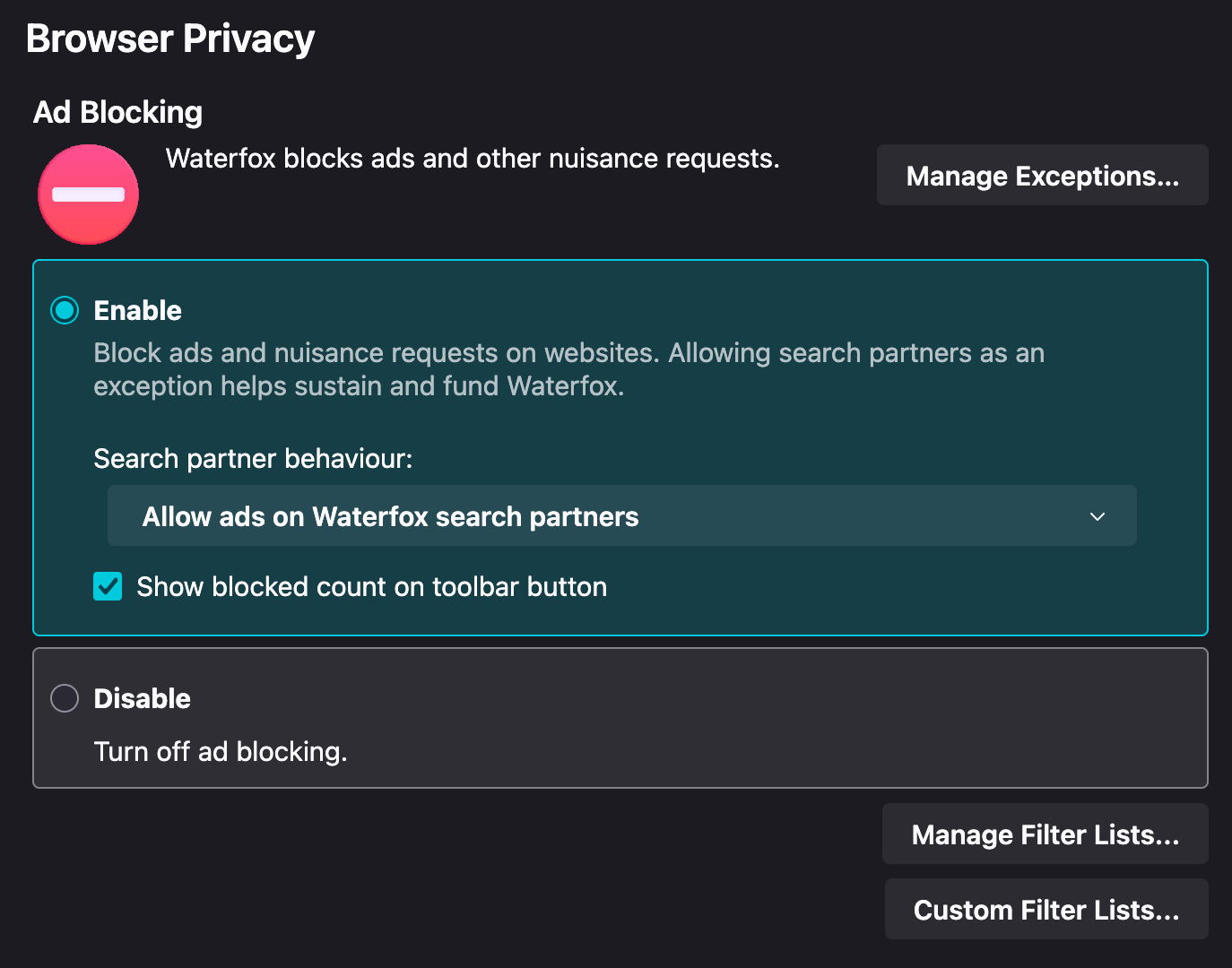
Ads from the default search provider are enabled (per their request), but disabling them is pretty straightforward. Other functionality, like toggling the default filter lists (12 are enabled by default) or adding your own are accessible via buttons.
Lists enabled by default:
- Default
- EasyList
- EasyPrivacy
- uBO Filters
- uBO quick-fixes
- uBO unbreak
- Privacy
- AdGuard Tracking Protection
- Peter Lowe's Ad and Tracking Server List
- uBO Badware
- uBO Privacy
- uBO Resource Abuse
- Annoyances
- EasyCookie
- uBO annoyances-cookies
Other available lists:
- Fanboy's Annoyances
- Fanboy's Anti-Chat
- Fanboy's Anti-Newsletter
- Fanboy's Mobile Notifications
- Fanboy's Social
- 34 more Regional lists
Interesting, that sucks. The only change I experienced was the loss of Google rewards surveys (which is fine, meh), after Google sent me several surveys asking if I was, in fact, researching XYZ items with the intent to buy. They picked up on it but my physical mail never changed, as far as I know.
You just described me quite well...