this post was submitted on 27 Jan 2026
635 points (97.0% liked)
linuxmemes
31956 readers
1269 users here now
Hint: :q!
Sister communities:
Community rules (click to expand)
1. Follow the site-wide rules
- Instance-wide TOS: https://legal.lemmy.world/tos/
- Lemmy code of conduct: https://join-lemmy.org/docs/code_of_conduct.html
2. Be civil
- Understand the difference between a joke and an insult.
- Do not harrass or attack users for any reason. This includes using blanket terms, like "every user of thing".
- Don't get baited into back-and-forth insults. We are not animals.
- Leave remarks of "peasantry" to the PCMR community. If you dislike an OS/service/application, attack the thing you dislike, not the individuals who use it. Some people may not have a choice.
- Bigotry will not be tolerated.
3. Post Linux-related content
- Including Unix and BSD.
- Non-Linux content is acceptable as long as it makes a reference to Linux. For example, the poorly made mockery of
sudo in Windows.
- No porn, no politics, no trolling or ragebaiting.
- Don't come looking for advice, this is not the right community.
4. No recent reposts
- Everybody uses Arch btw, can't quit Vim, <loves/tolerates/hates> systemd, and wants to interject for a moment. You can stop now.
5. 🇬🇧 Language/язык/Sprache
- This is primarily an English-speaking community. 🇬🇧🇦🇺🇺🇸
- Comments written in other languages are allowed.
- The substance of a post should be comprehensible for people who only speak English.
- Titles and post bodies written in other languages will be allowed, but only as long as the above rule is observed.
6. (NEW!) Regarding public figures
We all have our opinions, and certain public figures can be divisive. Keep in mind that this is a community for memes and light-hearted fun, not for airing grievances or leveling accusations.
- Keep discussions polite and free of disparagement.
- We are never in possession of all of the facts. Defamatory comments will not be tolerated.
- Discussions that get too heated will be locked and offending comments removed.
Please report posts and comments that break these rules!
Important: never execute code or follow advice that you don't understand or can't verify, especially here. The word of the day is credibility. This is a meme community -- even the most helpful comments might just be shitposts that can damage your system. Be aware, be smart, don't remove France.
founded 3 years ago
MODERATORS
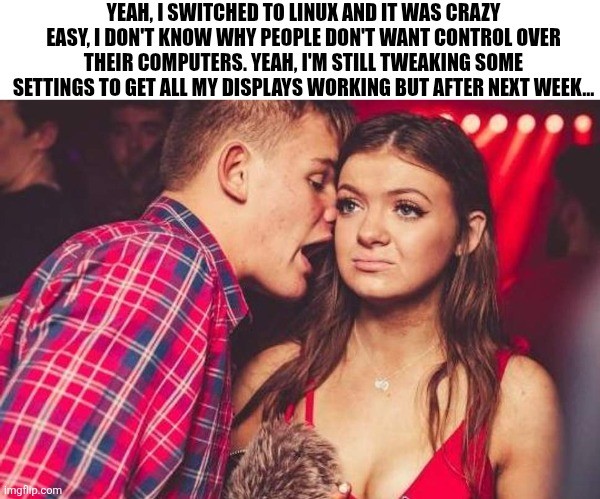
I haven't had trouble getting displays working since 2007.
Look at this guy, running a headless workstation
It's because one of my three is a sporadically used tv that's hooked up through my receiver system. Windows had trouble with it too and in more irritating ways. I just have to sit down and do some work to create a way to easily toggle between 1, 2 and 3 screen layouts/settings etc.
I wound up using a physical switch that toggles a PC display off and toggles on the TV display so the system just slots it in. It only works because I don't really need all three working at once (i.e. I just use the TV output to watch TV).
But yeah, neither windows or Linux handles dynamic display changes very well.
I'd posit Linux is still far superior. Especially with stupid little things, like one of my displays acts like it's fully disconnected when it's powered off at night. Which then tells Windows to disconnect the screen and fuck up all my app positions regardless of wether, "remember window positions based on connected screens" or what ever is set. It takes many seconds for that asshole to reinitialize the whole fucking desktop, always with programs in the wrong fucking place. Every. Time.
Linux doesn't give a fuck, changes desktop layout instantly, doesn't assume where I want my windows, and is by all accounts just far superior. I haven't messed with this fresh install too much to know if there are weird little edge cases I'm not noticing, but so far, Linux is absolutely kicking Microsoft's ass and taking its lunch money (I wish more than figuratively).
Honestly, I'm embarrassed how long it took me as a human being to realize that things don't have to be perfect to be better. I would be way harder on any change than I was with the status quo.
Anyway, yes, especially after having more and more issues with Windows 11 in particular, for me and my use case, Linux is genuinely easier to use day-to-day. Is it perfect? No. Is it better? Yes, no contest.
I have a similar use case with my PC and TV. My PC is across the house from the TV and is connected via an HDMI over Ethernet KVM for when I want to use my PC as a gaming console.
What I ended up doing was creating an automation in Home Assistant to turn on my KVM via a smart plug, then wake-on-lan my PC, and intiate a Steam Big Picture mode gamescope session. This was pretty tedious to get working all together, and startup time is pretty abysmal (around 1 minute to get fully into Steam), but it does actually work consistently.
In case anyone is interested in replicating my setup: I'm running NixOS 25.11 with the Jovian flake installed, and launching my session via the systemd service
run_gamescope. If you're not on NixOS, you should still be able to build your own solution by emulating the Steam Deck startup services (honestly, it's not that complicated), or looking into projects like ChimeraOS.You guys should really tell us normies how to start. For example, the easiest thing is to check approved hardware for a specific distro. Ubuntu has a list. Nobody told me this in my over 4.5 years working with ubuntu during uni, at work and sometimes at home.
(I don't get much time to research...)
I have...
It's my fault. I bought a Denon reciever and it's a gigantic piece of shit that loses signal when switching between VRR and...not VRR.
So I used two HDMI cables. One connects directly to TV, the other still goes to the reciever for audio. I can't disable the secondary non existent screen because it'll also disable HDMI audio...at least with KDE.
70% of the time I shut off the TV with the PC still on no matter what power settings, the audio dies until I press ctrl+super+F2 to switch to TTY and then F1 to swap back. Idk. It didn't used to do this but after some CachyOS update it started happening. On Windows I was just fucked and had to reboot, so not any better.
I blame that piece of shit reciever. At some point I have to eat the loss and return to Yamaha.
I had issues with it back in 2022 when trying a few different distros. I had 3 monitors of all the same size and I had weird visual glitches when trying to use the ui to set refresh rate or resolution.
Now though? Haven't had any issues since i switched to Linux as my daily driver in 2024.
I have problems to this day with a single monitor setup. When I switch the monitor to another input (e.g. to play with my Switch), KDE Plasma, X, or something else freaks out, about half the time (I'm guessing it has something to do with locking or DPMS timers). When I switch back, it is running that the "safe" 640x480 which can't display enough of the display settings panel under system settings for me to restore the 1920x1200 monitor native resolution!
Things are better than 2007, and they might be better than MS Windows, but "no trouble" is inconsistent with my experience.
I have trouble getting real displays working all the time...
Needing to know which serial port is which and manually tellling the kernel via console=ttyS0,115200 or whatehaveyou is annoying....
What other displays could people mean?
That's a job for your bootloader
Well it's not a problem in arm environments generally, just in x86 land, and the bootloaders don't have a good shot of figuring it out on behalf of the kernel either... There is an ACPI table but no one cares about it in Linux land and is almost never used in Windows land (EMS does support it) and as a result most systems don't bother doing it at all.
Good for you. I still can't get Wayland to support more than one 144Hz display.
Works on my machine
Well, you've got two problems to start with:
It works fine for everything else. Besides, X11 doesn't even support two monitors with different refresh rates.
And you fell for the good old "humans can only see in 35Hz".
While humans cannot see 144hz explicitly, persistence of vision does not work like a monitor. Your vision DOES see differences. You can still notice how 'smooth' motion is at higher frame rates, etc.
That said, framerate isn't the only stat that improves visual quality. Even wholly outside of color reproduction, having a monitor that supports blanking between frames (frame1, black, frame2, black, etc) can make even the same FPS 'feel' smoother and reduce ghosting and other effects from the panel.
Also, there is a BIG advantage of fast panels for variable refresh rates. Even if your game can never run past 60fps, a panel that can push updates very fast generally has a far greater ability to hit the rendered framerate, and often has a greater range of FPS they can support. Basically... there are many good reasons FreeSync has multiple tiers.
So basically... good job falling for ignorant dogma!
High FPS like 144 is noticeable in specific situations in specific games, mainly those with a lot of panning like fast paced FPS or racing games where things move quickly across the screen while the camera is also turning.